

A website redesign is often treated as a visual project, but for SEO teams, one of the most important tasks happens behind the design: mapping old URLs to their correct new destinations.
Changing templates, navigation, categories, or content architecture can alter hundreds or thousands of addresses. If those changes are not planned carefully, users may encounter broken pages while search engines lose signals associated with the previous URLs.
A structured URL mapping process helps preserve continuity between the old website and the redesigned version.
Start With a Complete Inventory of Existing URLs
Before deciding where old pages should go, create a list of the URLs currently available on the website.
Useful sources may include crawl data, XML sitemaps, analytics landing pages, search performance reports, server logs, backlink reports, and CMS exports.
Using several sources is helpful because a normal crawl may not discover every important historical URL.
Do Not Map Only Pages That Receive Traffic Today
A page with limited current traffic may still have external links, bookmarks, historical value, or internal references.
SEO teams should therefore avoid building the migration list from analytics alone.
Identify the Pages That Will Keep the Same URL
Not every redesign needs to change every address.
If an existing URL remains logical and accurate, keeping it unchanged can reduce unnecessary migration work and risk.
Preserving strong existing URLs is often simpler than replacing them only to match a new design.
Separate Changed, Removed, and Unchanged URLs
A practical mapping sheet should make the status of every important page clear.
You can also read: How To Avoid Ruining SEO During A Website Redesign
Typical groups include URLs that remain unchanged, URLs moving to a new address, pages being consolidated, and content being permanently removed.
Keep Working Resources Easy to Reference During the Migration
Redesign projects often require teams to move between crawl reports, documentation, staging sites, analytics platforms, CMS dashboards, and other web resources.
For general navigation between frequently used online destinations, a reference point such as 주소모음 can help keep useful web resources easier to revisit, while production logins, DNS settings, deployment tools, analytics accounts, and other sensitive systems should always be accessed through verified official addresses.
Map Old URLs to the Closest Relevant Destination
When an old page is replaced, the new destination should normally satisfy the same or a closely related user intent.
A redirect should help the visitor continue the journey rather than simply move every retired page to the homepage.
Avoid Redirecting Everything to the Homepage
A large number of unrelated URLs pointing to the homepage usually creates a poor experience.
If a relevant replacement exists, use it. If no meaningful equivalent exists, the team should decide whether removal is more appropriate.
Map Consolidated Pages Carefully
A redesign may combine several thin or overlapping pages into one stronger resource.
In that situation, the old URLs can often point to the new consolidated page when it genuinely covers their subject.
Document the Reason for Important Redirects
Large migrations become easier to review when the mapping file explains unusual decisions.
A simple note such as “merged into new pricing guide” or “category renamed” can save time when questions appear later.
Use Permanent Redirects for Permanent Moves
When a page has permanently moved to a new URL, a server-side permanent redirect is generally the appropriate mechanism.
You can also read: How Long Does It Take to Build a Website? A Simple Guide
The implementation method depends on the server, CMS, framework, or hosting environment.
Test the Actual HTTP Response
A page that visually appears to redirect is not necessarily configured correctly.
SEO teams should verify the response code and final destination with a crawler, browser development tools, or another HTTP inspection method.
Avoid Redirect Chains
A common migration problem occurs when an old URL points to an intermediate address that then redirects again.
Where practical, the original URL should redirect directly to the final current destination.
Find Historical Redirects Before Launch
A website may already have several generations of old URLs.
Review existing redirect rules so that legacy addresses do not create additional chains after the redesign.
Watch for Redirect Loops
Conflicting rules can send a visitor between two or more URLs indefinitely.
Automated crawling of the staging or production redirect set can help identify loops before they affect users.
Preserve URL Case and Formatting Rules
Depending on the server configuration, uppercase and lowercase characters can behave differently.
Teams should define consistent rules for case, trailing slashes, parameters, and preferred URL formats.
Review HTTP and HTTPS Behavior
The redesign should maintain a clear preferred protocol.
HTTP requests should reach the correct HTTPS destination without unnecessary intermediate steps.
Review WWW and Non-WWW Behavior
If the website has a preferred hostname, redirects and canonical tags should consistently support it.
A redesign is a good time to confirm that alternate hostname versions do not create duplicate paths.
Update Internal Links to the New URLs
Redirects are useful for old external references, but the redesigned site itself should link directly to current destinations.
Leaving old URLs throughout navigation and content creates unnecessary redirect hops and makes maintenance harder.
Check Navigation Links First
Header menus, footers, category navigation, breadcrumbs, and other sitewide components can create thousands of repeated links.
One incorrect template link can therefore affect a large portion of the site.
Review Contextual Links Inside Content
Older articles may still contain links to retired pages.
Where feasible, update important contextual links directly rather than depending permanently on redirects.
Check Image and Document URLs
A redesign may also move PDFs, downloadable files, images, and other assets.
If those resources have external links or are important to users, include them in the migration review.
Update Canonical Tags
New pages should normally reference the intended current canonical URL rather than an old production address or staging hostname.
You can also read: How to Move a WordPress Site to a New Host
Canonical tags should be reviewed together with redirects and internal links so that the signals do not conflict.
Look for Staging Domains in Canonicals
A common deployment mistake is carrying staging URLs into production templates.
Test representative pages immediately after launch to make sure canonicals point to the live site.
Update the XML Sitemap
The production sitemap should contain the new canonical URLs rather than addresses that redirect.
Removed pages should no longer be included unless there is a specific reason for their presence.
Check Multiple Sitemaps on Larger Sites
Websites may maintain separate sitemaps for pages, posts, products, categories, images, or other content types.
Review the full sitemap structure after the migration.
Review Robots Directives Before Launch
Staging environments are often intentionally blocked from indexing.
Those restrictions must not accidentally remain on the production website after deployment.
Check Page-Level Robots Tags
A global robots file is only one layer of indexing control.
Important templates should also be checked for unintended noindex directives carried over from testing.
Compare Old and New Page Titles
A redesign sometimes changes more than URLs.
If important pages also receive completely different titles, headings, copy, and internal links at the same time, diagnosing later performance changes becomes more difficult.
Avoid Unnecessary Simultaneous Changes
When possible, separate cosmetic redesign decisions from unrelated large-scale SEO changes.
A migration becomes easier to troubleshoot when fewer variables change simultaneously.
Preserve Important Content During Consolidation
If several old pages are merged into one new page, ensure the useful information users previously found has not simply disappeared.
A redirect is more meaningful when the destination genuinely replaces the previous content.
Pay Special Attention to High-Value Landing Pages
Pages receiving strong organic traffic, conversions, or external links deserve additional review.
Record their existing URL, new destination, title, canonical, status code, and important internal links before launch.
Include Backlinked URLs in the Mapping Process
External links may point to pages that receive little direct search traffic today.
A backlink export can reveal old URLs worth preserving through a relevant redirect.
Review Parameter URLs Carefully
E-commerce sites and large content platforms may generate URLs containing filters, tracking parameters, search queries, or sorting options.
Not every parameter variation needs an individual redirect, so teams should identify which versions actually matter.
Check Pagination and Archive Changes
Redesigns often modify category pages, archives, and pagination structures.
You can also read: How Long Does SEO Take to Show Results?
These areas can contain a large number of URLs and should be included in technical testing rather than treated as secondary details.
Test the Mapping File Before Deployment
A spreadsheet containing redirects is only a plan until the rules are implemented and tested.
Where possible, deploy the mapping to staging and crawl the old URL list against the new environment.
Check Every Mapped URL Automatically
For a large site, manually opening each URL is not realistic.
A crawler or script can verify response codes, destinations, chains, loops, and unexpected errors across the complete list.
Manually Review Important Examples Too
Automated checks can confirm technical behavior, but humans should still review a sample of high-value pages.
The final destination may technically return a 200 response while being contextually wrong.
Create a Pre-Launch Baseline
Before the redesign goes live, export important data such as indexed pages, organic landing pages, rankings, crawl results, traffic, and external links.
This baseline makes it easier to compare performance after deployment.
Record the Exact Launch Date
A migration timeline helps teams connect later changes to the redesign.
Document major deployment events, redirect changes, sitemap submissions, and important fixes.
Crawl the Production Site Immediately After Launch
Staging tests do not replace a final production crawl.
Hosting, CDN rules, deployment configuration, or environment-specific settings can behave differently on the live site.
Look for Unexpected 404 Errors
A spike in 404 responses may reveal pages missing from the mapping file, broken internal links, or incorrectly implemented redirect rules.
Prioritize URLs that previously received traffic or external links.
Monitor 5xx Errors
Server-side problems can appear under real traffic even if staging looked stable.
Technical SEO monitoring should therefore include server errors as well as redirects and 404 pages.
Review Search Performance After Launch
Search visibility may fluctuate during a significant migration.
Monitor impressions, clicks, landing pages, indexing, and query patterns rather than relying on one ranking snapshot.
Watch Which URLs Appear in Search
If old URLs continue appearing for an extended period or unexpected pages begin replacing important destinations, investigate the redirect and canonical signals.
Monitor Organic Landing Pages
Compare the new landing-page set with the pre-launch baseline.
This can reveal important pages that stopped receiving traffic after the redesign.
Keep the Redirect File After Launch
Do not discard the original mapping spreadsheet when the migration appears complete.
It becomes useful documentation for future site changes and troubleshooting.
Update the Mapping When Problems Are Found
No migration plan catches every edge case.
You can also read: Unexplored Opportunities in PPC You Need to Know
When new legacy URLs are discovered through logs, analytics, crawl reports, or user reports, add them to the migration documentation and handle them appropriately.
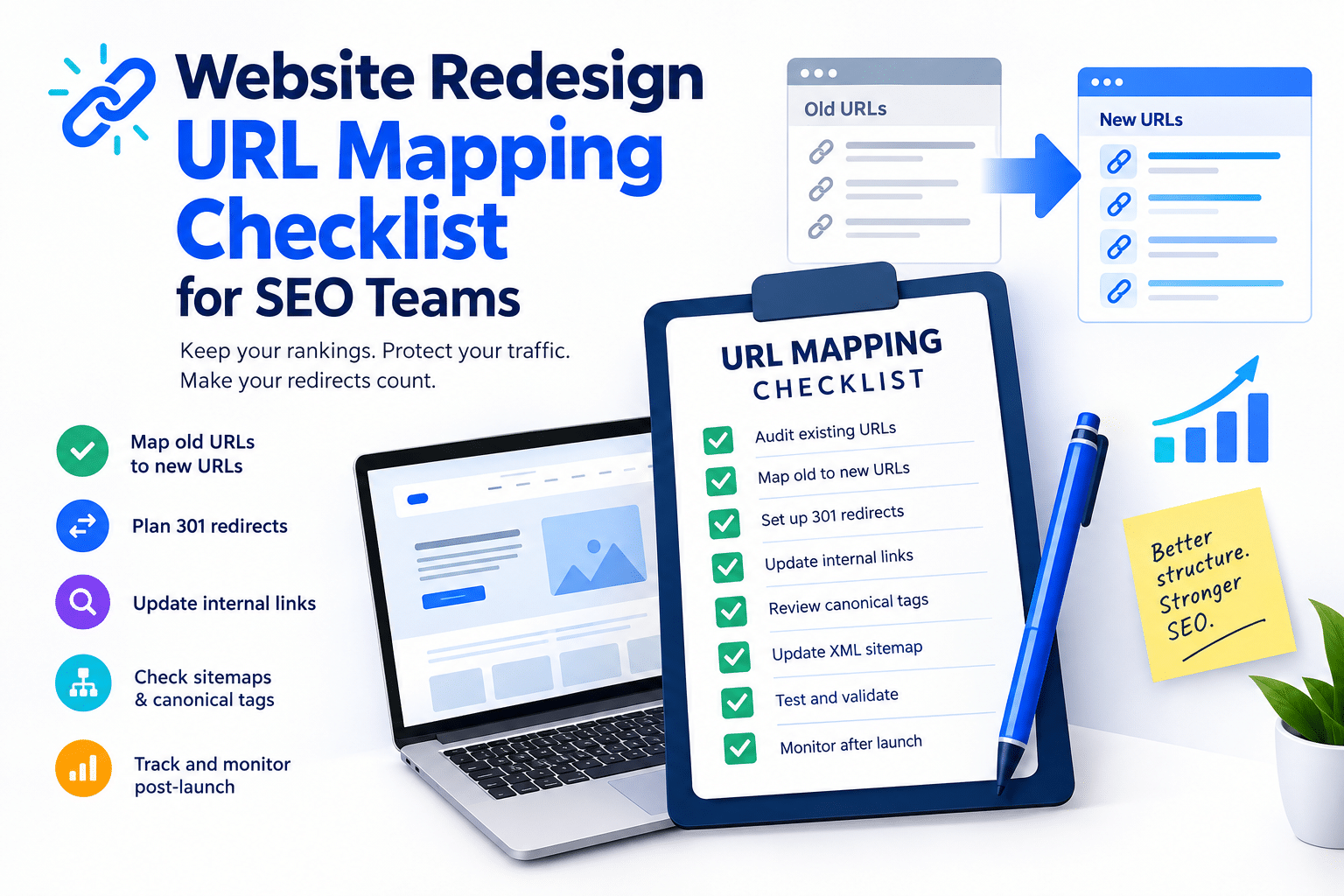
A Practical URL Mapping Checklist
- crawl and export the existing website
- collect URLs from analytics, search data, sitemaps, and backlink reports
- mark URLs as unchanged, moved, merged, or removed
- map old pages to the closest relevant new destination
- implement permanent redirects for permanent moves
- remove redirect chains and loops
- update navigation and contextual internal links
- review canonical tags and production hostnames
- update XML sitemaps and robots directives
- test the old URL list before and after launch
- monitor 404, 5xx, traffic, indexing, and landing-page changes
- keep the mapping file as long-term migration documentation
URL Mapping Is a Core Part of a Safe Redesign
A redesign can completely change how a website looks while users and search engines still depend on addresses created years earlier.
URL mapping creates the bridge between those two versions of the site. It preserves useful paths, directs old references toward relevant replacements, and gives SEO teams a structured way to verify that the new architecture works as intended.
When the mapping process begins before launch and continues through post-migration monitoring, a redesign becomes much easier to control and troubleshoot.